Menu and pages
The menu is your app's front door. You choose the pages offered, their title and their order.
Where to find it
In the manager, open Menu and pages.
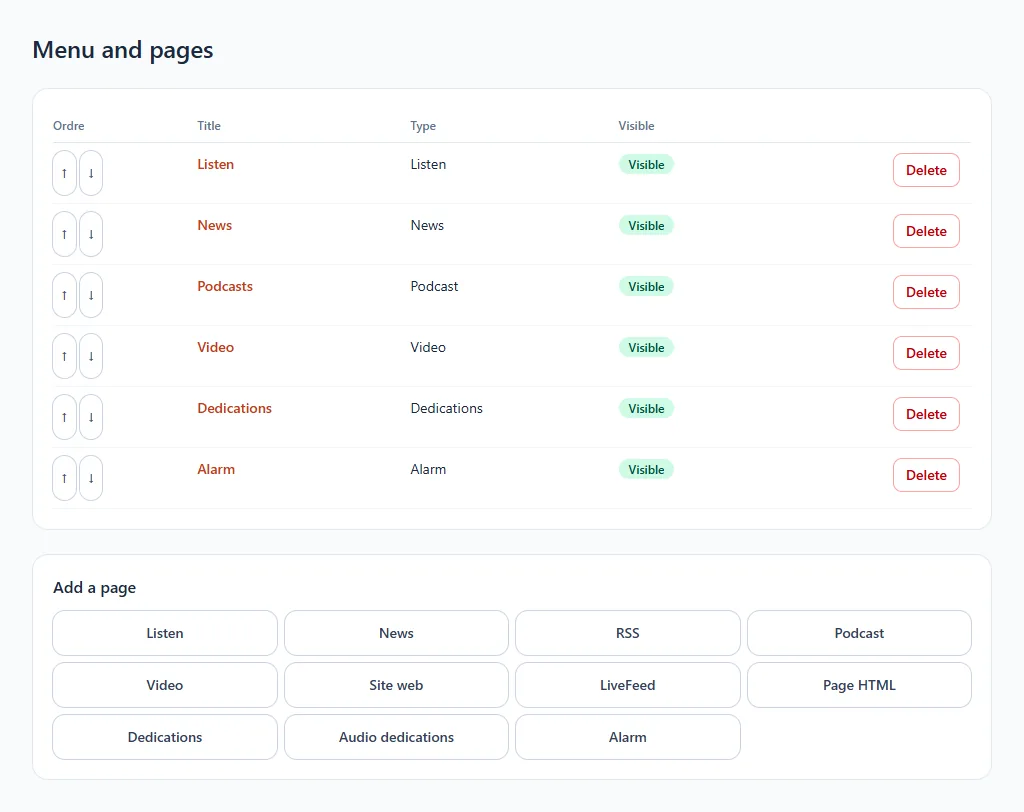
The page types
| Type | What it brings | Help page |
|---|---|---|
| Listen | Your radio's player | The Listen page |
| News, RSS | Your articles and news feeds | News, RSS and podcasts |
| Podcast | Your on-demand shows | News, RSS and podcasts |
| Video, Website, LiveFeed, HTML page | A video, a website, a live feed, a free page | Video and web pages |
| Dedications, Audio dedications | Your listeners' messages | Dedications |
| Alarm | Waking up to your radio | The alarm |
Add a page
- Below the list, choose the type in Add a page.
- Give a title in the menu (60 characters at most) and enter the address or information requested.
- Leave Visible in the app ticked to show it, then Save.
Reorder, hide, delete
- The ↑ and ↓ arrows change the order.
- Untick Visible in the app to hide a page without losing it.
- Delete removes the page permanently.
Changes are picked up by the app the next time it starts.