Open the app manager
The manager is where you compose your app: its name, colours, menu, notifications. You reach it in one click from your customer area.
Where to find it
- In your customer area, open Services and choose your app service.
- Click Manage my app.
The link is also offered from the customer area's dashboard. The manager opens without entering a password again. All team members have access to it; see My team.
The dashboard
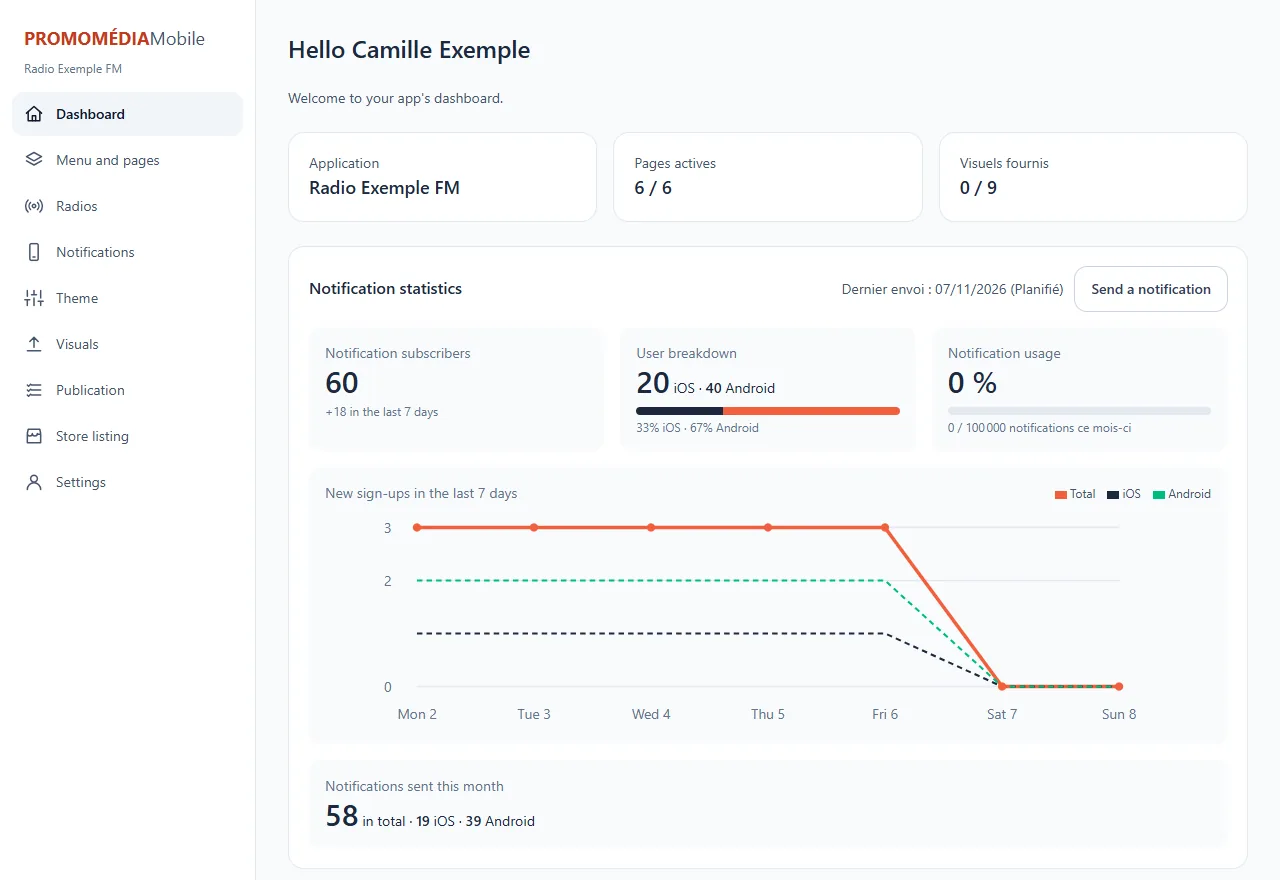
It summarises the state of your app:
- the number of active pages and of visuals provided;
- the number of notification subscribers, their split between iPhone and Android, and the new subscribers of the last 7 days;
- your notification usage for the month;
- the To get started list, which ticks off what is done as you go.
The menu sections
| Section | What it is for |
|---|---|
| Menu and pages | Choose what the app offers: menu and pages |
| Radios | Group several radios |
| Notifications | Write to your listeners |
| Theme | Colours and style |
| Visuals | Logo, icon, splash screens |
| Publication | Put the app online |
| Settings | Name, language, legal links |
Good to know
Your menu, page and theme changes are picked up by the app the next time it starts: you do not need to republish it.