Hour clocks
A clock is a template for an hour: a sequence of items (a track, a jingle, a voice...). On air, each item is filled with a suitable track, and a filler playlist completes the hour so that it ends as close as possible to the top of the hour.
What it is for
Building well-structured hours, reproduced automatically at the times of your choice.
Where to find it
In the sidebar, under This radio, click Programming (or Program the AutoDJ from your radio's page), then the Hour clocks link.
Step by step
- Create a clock: give it a name and a filler playlist (required).
- Add items with Add a slot: a music track, an insert (jingle, promo, advertisement), a voice slot or partner content.
- Reorder with Move up and Move down.
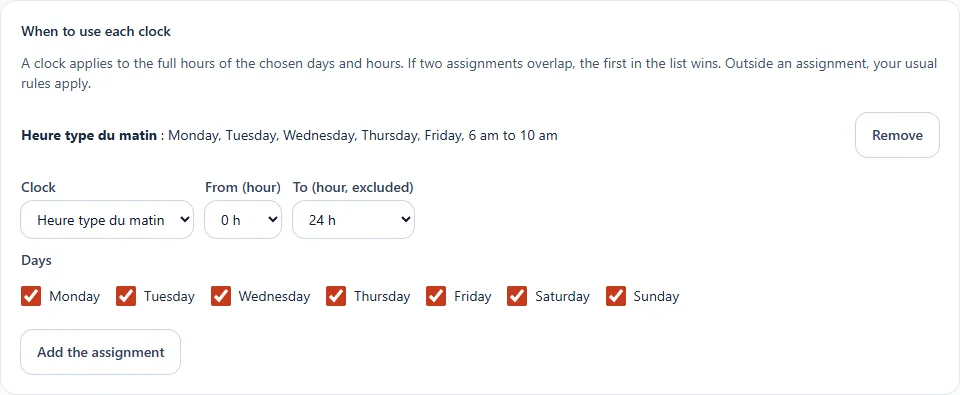
- In When to use each clock, choose the days and hours it applies.
Good to know
- Tracks are drawn at random among those of a suitable length, respecting your gap rules: it is never always the same.
- Clocks require the station to be prepared in advance: enable it in Voice tracks.
- To land exactly on the top of the hour, see speed adjustment.