Rotation rules
The AutoDJ chooses each track for you. The rotation rules help it vary the station.
What it is for
Avoiding repetitions and giving your station rhythm.
Where to find it
In the sidebar, under This radio, click Programming. The rules are in Advanced settings.
How the AutoDJ chooses
When nobody is broadcasting live, it follows this order: a jingle if it is time to play one, then the playlist of the current time slot, otherwise one of your playlists drawn according to its weight. Tracks that are in no music playlist form a group of their own: an imported track is therefore played without configuring anything.
The three rules
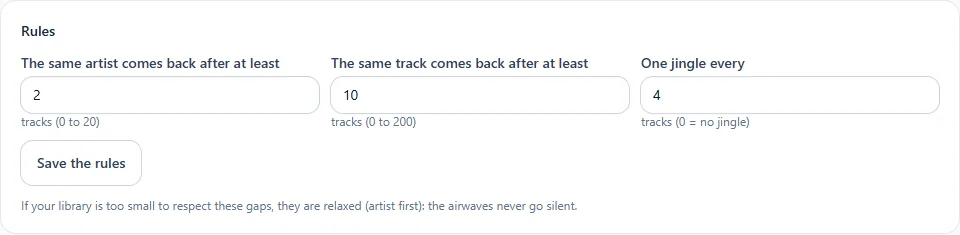
| Rule | Possible values |
|---|---|
| The same artist comes back after at least… tracks | 0 to 20 |
| The same track comes back after at least… tracks | 0 to 200 |
| A jingle every… tracks | 0 (none) to 50 |
Click Save the rules. Changes take effect from the next track, with no interruption.
A small library?
If your library is too small to respect these gaps, they are relaxed (artist first): the station never falls silent.