My team
Presenters, community managers, management: each can have their own access, without sharing a password.
Where to find it
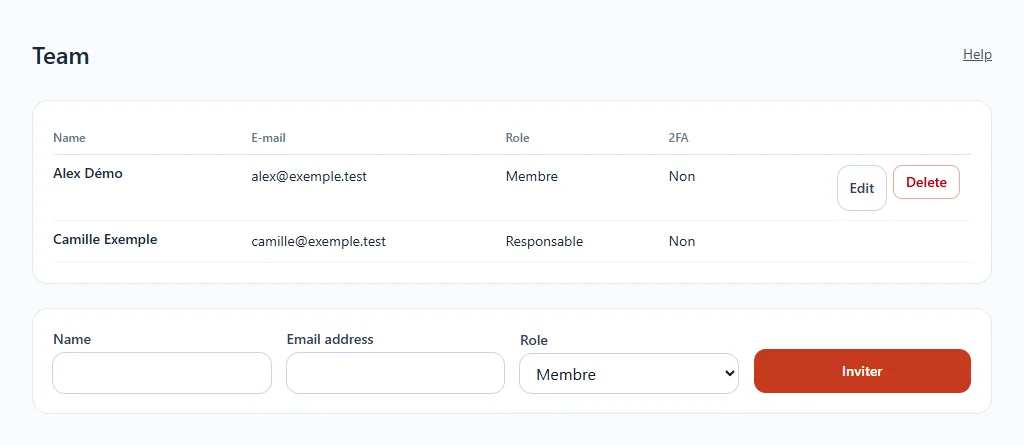
In the sidebar, click Team.
The two roles
| Role | What it allows |
|---|---|
| Member | Uses the customer area and the app manager |
| Manager | Also manages the team, the company and the publishing keys |
Invite someone
- In the form at the bottom, enter the person's name and email address.
- Choose their role.
- Click Invite: an email lets them choose their password.
Manage a member
- Edit: change their name, email address or role. If the address changes, open sessions are closed and a link to choose a password is sent to the new address.
- Resend the invitation: resends the link to choose (or change) a password. One send per minute.
- Delete: removes their access.
The 2FA column shows whether the person has enabled two-factor authentication.