The app visuals
The stores impose images at precise dimensions. The manager tells you them one by one and checks each file on upload.
Where to find it
In the manager, open Visuals.
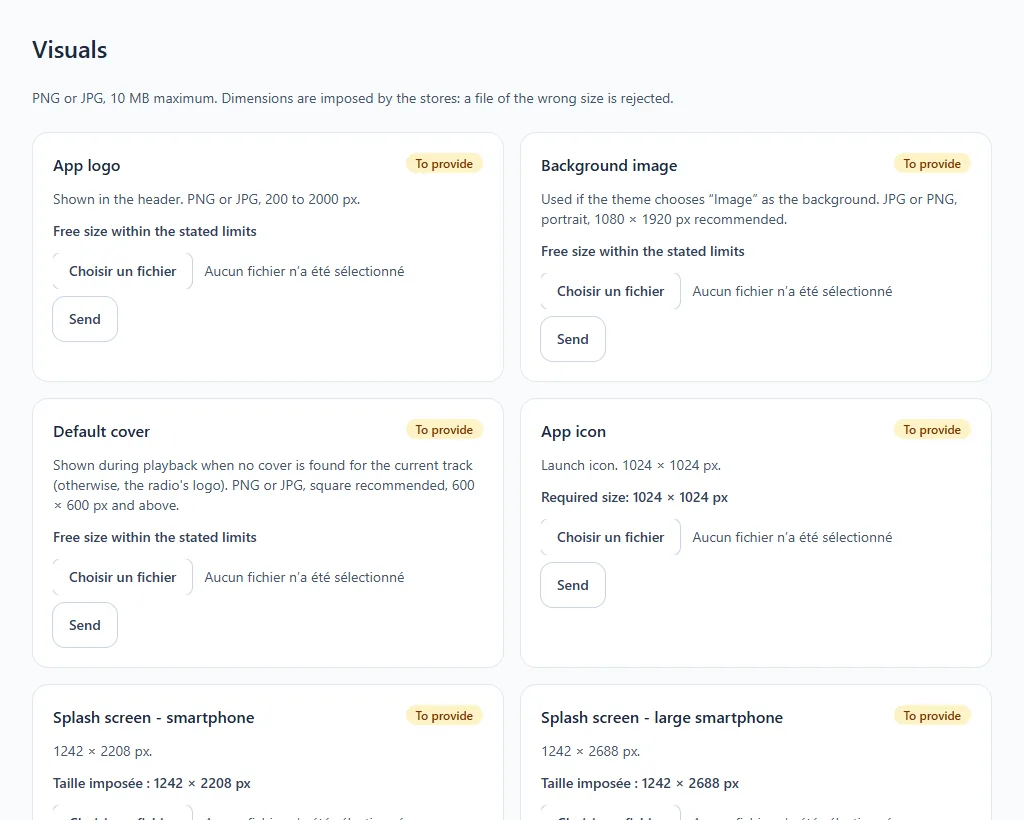
The images expected
PNG or JPG format, 10 MB at most.
| Visual | Dimensions |
|---|---|
| App logo (displayed in the header) | 200 to 2000 px |
| Background image (if your theme chooses it) | portrait, 1080 × 1920 px recommended |
| Default cover (displayed in the player when no cover art is found) | PNG or JPG, square recommended, 600 × 600 px and above |
| App icon | 1024 × 1024 px |
| Splash screen, smartphone | 1242 × 2208 px |
| Splash screen, large smartphone | 1242 × 2688 px |
| TV icon | 1280 × 768 px, app's full name visible |
| Splash screen, TV | 3840 × 2160 px, nothing cut off |
| Apple TV banner | 4640 × 1440 px |
Nine visuals are expected. Each row shows To provide until the image is uploaded. A file of the wrong size is refused with a message stating the expected size.