Your site's traffic
Knowing how many people visit your website, where they come from and what they look at, without installing anything on your website.
Where to find it
- On the first page of your "Radio website" service: the "Your site's traffic" card summarises the last 7 days.
- In your website's menu, Traffic section: the detail, with the choice of period.
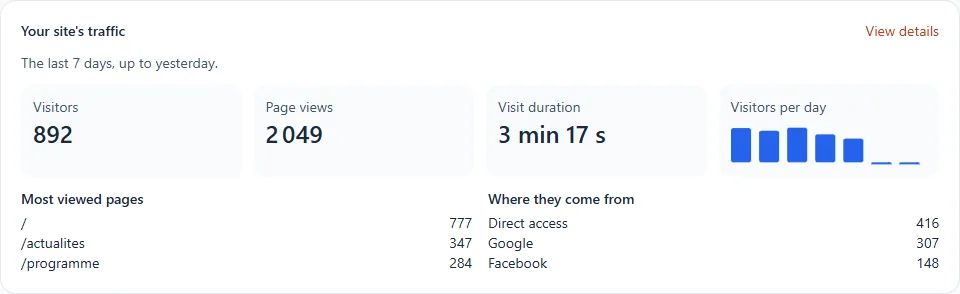
What you see
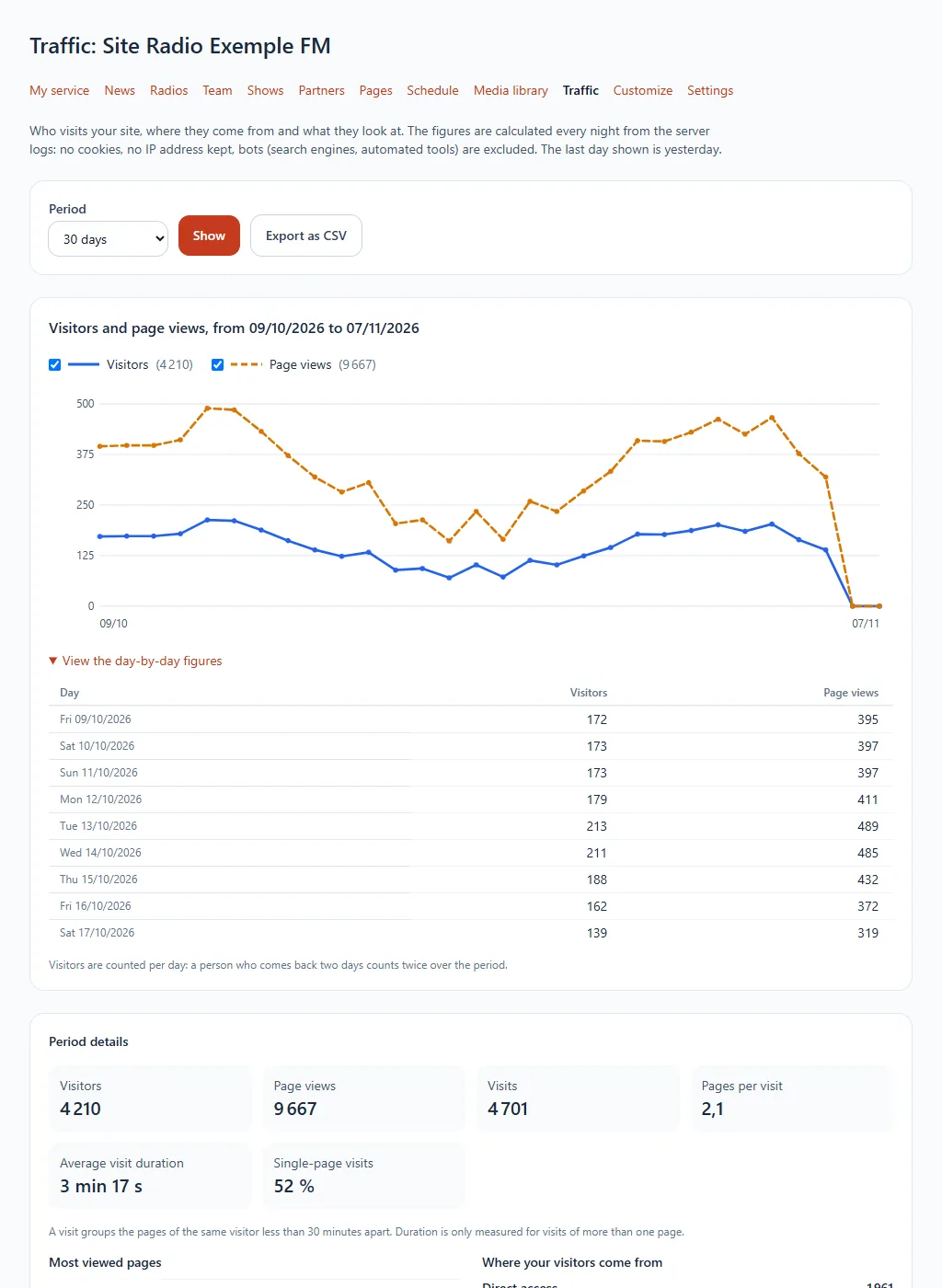
| Figure | What it means |
|---|---|
| Visitors | The different people who visited your website, day by day (added up over the period) |
| Page views | The number of pages displayed |
| Visits | A visit groups the page views by the same person less than 30 minutes apart |
| Pages per visit | The average number of pages viewed during a visit |
| Visit length | The time spent between the first and last page, for visits of more than one page |
| Single-page visits | The share of visitors who only looked at one page |
Further down: the most viewed pages, where your visitors come from (direct access, search engines, social networks, other websites), the devices (phone, tablet, computer) and the countries.
Step by step
- Choose the period: 7, 30 or 90 days, 12 months, or specific dates, then click Show.
- Untick Visitors or Page views above the chart to display only one curve.
- Click See the figures day by day to read the values, or Export as CSV to open them in a spreadsheet.
How the figures are calculated
- The figures are calculated every night: the last day shown is yesterday. A new website shows its first figures the next day.
- They come from the server logs: no cookie, no script added to your website, no IP address kept. Only totals per day are kept, for 13 months.
- Robots (search engines, automatic tools) are excluded.
- Your own visits count, like anyone's.
- A same visitor who comes back two days is counted twice over the period: the total of visitors is a total per day.