Time slots
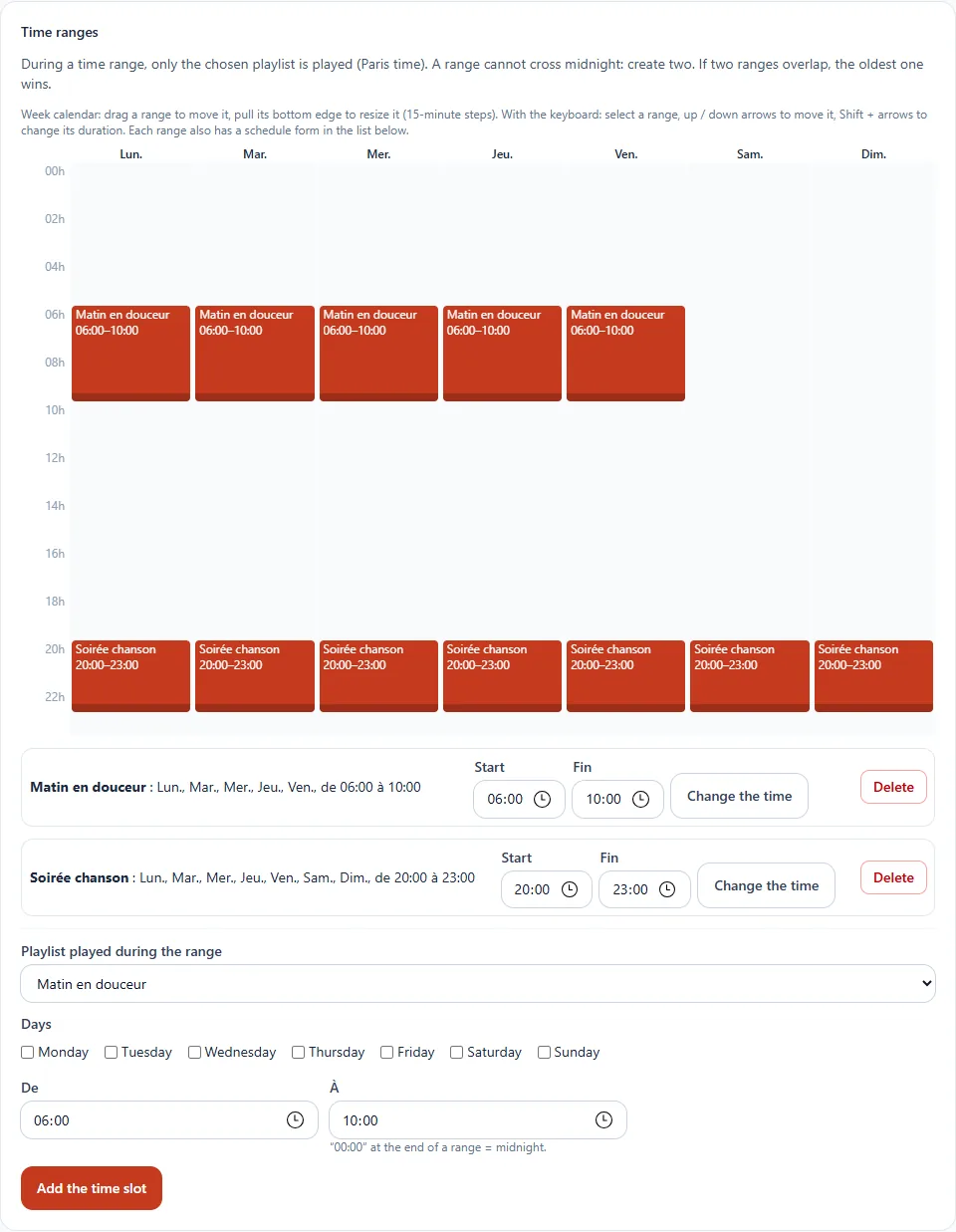
During a time slot, only the chosen playlist is played. The rest of the time, the usual rotation applies.
What it is for
Adapting the music to the time of day without intervening.
Where to find it
In the sidebar, under This radio, click Programming (or Program the AutoDJ from your radio's page), then, in the Time slots section. You can create up to 50 slots.
Step by step
- First create a music playlist (see Playlists).
- In the form at the bottom, choose the playlist played during the slot.
- Tick the days concerned and enter the From and To hours.
- Click Add the slot.
Adjust the calendar
- Drag a slot to move it, pull its bottom edge to resize it (in 15-minute steps).
- With the keyboard: select a slot, use the up and down arrows to move it, Shift + arrows to change its length.
- Each slot also has a Change the time form in the list.
Good to know
- Times are in Paris time.
- A slot does not cross midnight: create two (for example 22:00–00:00, then 00:00–06:00).
- If two slots overlap, the older one wins.