Several radios in one app
Do you broadcast several radios, or a network of stations? A single app can offer them all, sorted by genre.
Where to find it
In the manager, open Radios.
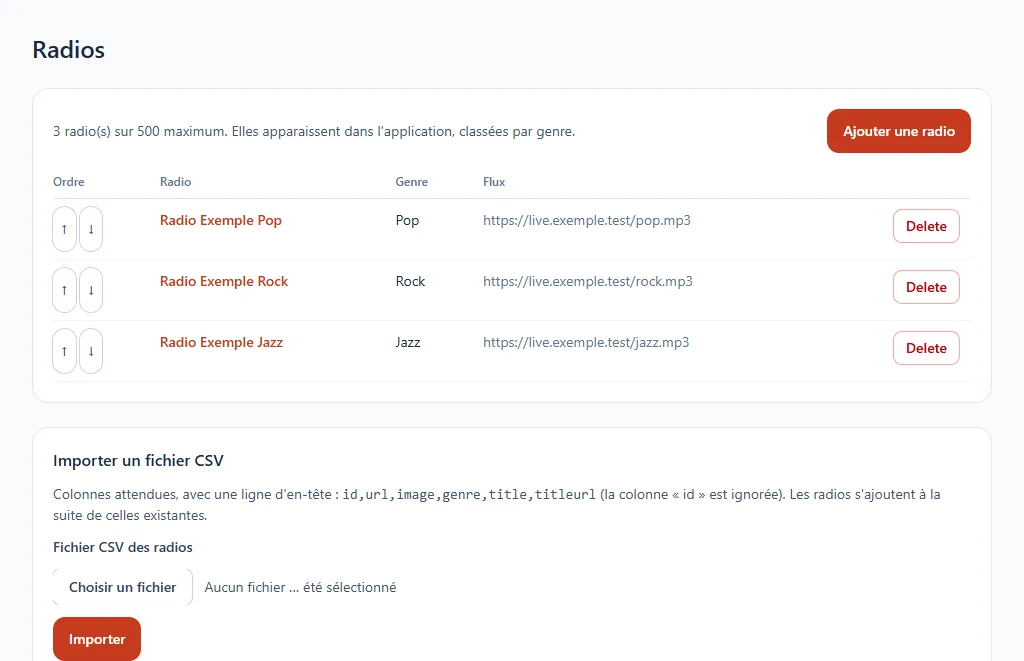
Add a radio
Click Add a radio and fill in its title, its genre (pop, rock, jazz…) and the address of its audio stream. The address of its logo and the address of its current song are optional. The ↑ and ↓ arrows change the display order.
The app accepts up to 500 radios.
Import a list
For many radios, prepare a CSV file with a header row and the columns id,url,image,genre,title,titleurl (the id column is ignored), then use Import a CSV file. The radios are added after those that already exist.