Radio pages
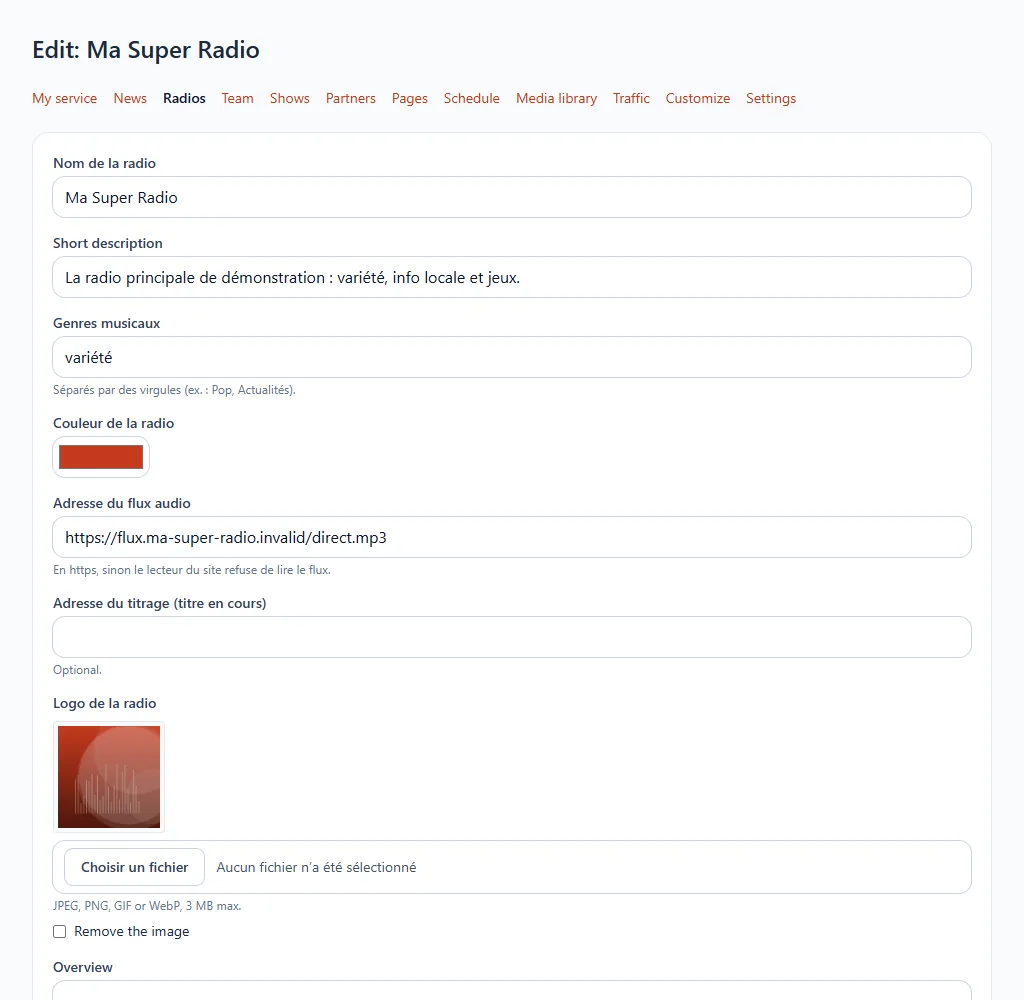
If your website presents one or several radios (main station, themed web radios), each has its page: logo, colour, music genres and player.
Where to find it
Radios section of your website's menu.
Step by step
- Add a radio or open the one to edit.
- Fill in its name, a short description, its music genres (separated by commas) and its colour.
- Enter the audio stream address: it must start with
https://, otherwise the website's player refuses to play the stream. - Optional: the metadata address to display the current song, a logo and a presentation.
- Save.
Common problems
The player does not start: check that the stream address is https://. See Radio website.